A project read on replacing the photos.me feed with a pannable, zoomable canvas: each decision, why it was made, and how it works.

Overview
photos.calebhill.me is my photo journal. Photos go up from an iOS Shortcut (how that works).
Until July 2026 the home page was a grid, newest first. It's now a canvas you pan and zoom. This is the readout of that change: what was decided, why, and how it's built.
- Stack: Next.js 16, React 19, Vercel Blob
- Timeline: first canvas July 19, refinements through October
Decision 1: canvas instead of a feed
Why. A feed only moves one way. A 2D plane lets you go in any direction, so no photo sits at the bottom of a list.
How.
- Drag, trackpad, or arrow keys to pan. Pinch, scroll, or
+and-to zoom.0fits every photo. - The view opens at 1x, centered on the layout, with the newest photo near the middle.
- Only tiles near the viewport mount and load. Overscan scales with viewport size, so DOM size stays bounded as the archive grows.
Decision 2: no months, no clusters
Why. The first canvas (July 19) grouped photos into month clusters: a sunflower scatter inside each month, a slight tilt per photo, month labels, a dot grid, and clusters chained along a winding path, newest month first.
Each month became a destination, and the path made the canvas a timeline again, just a winding one. It was replaced the same day.
How. About 300 lines of cluster code were deleted. Month labels, tilt, and the dot grid were all removed.
Decision 3: newest photo at the origin, then a square spiral
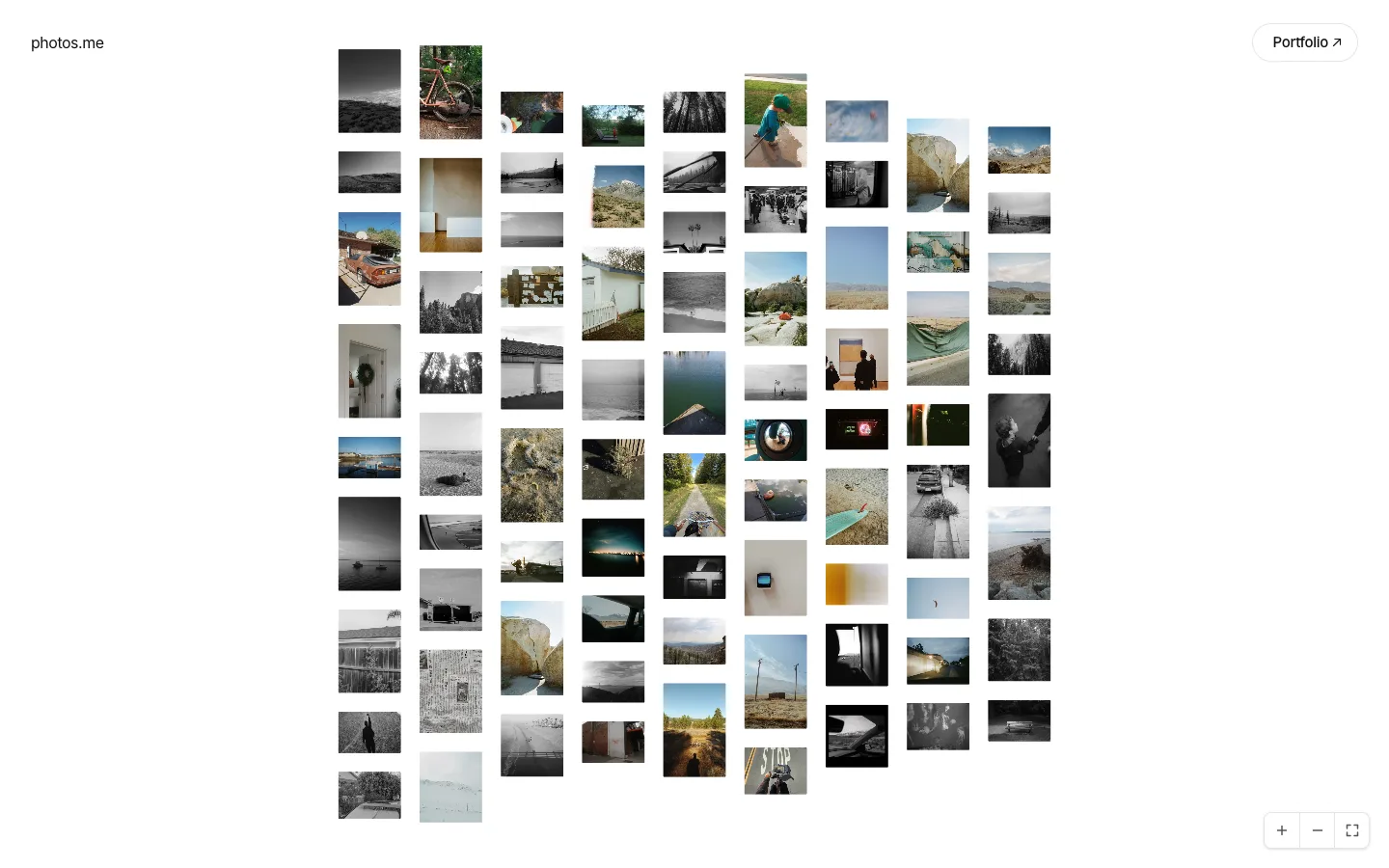
Why. A spiral has no direction to follow. Distance from the center roughly equals age in every direction, so left is as good as down.
How.
- Photos are sorted newest first. Photo 0 sits at grid cell (0, 0).
- The rest follow an outward square spiral: 1 right, 1 down, 2 left, 2 up, 3 right, 3 down, and so on.
- Each ring around the center holds 8 more cells than the last: 8, 16, 24.
- The order is computed from the photo list on every render. No positions are stored.
Decision 4: every upload shifts every photo
Why. It falls out of decision 3 and was kept on purpose. A feed appends to an end. The spiral has no end, so a new photo takes the center and everything else moves outward. The arrangement is a function of the whole archive, and each upload changes it a little.
How.
- The new photo becomes index 0 at (0, 0).
- Every other photo moves one index along the spiral.
- When the outer ring is full, the next photo starts a new ring.
Decision 5: fixed width, real height, uneven columns
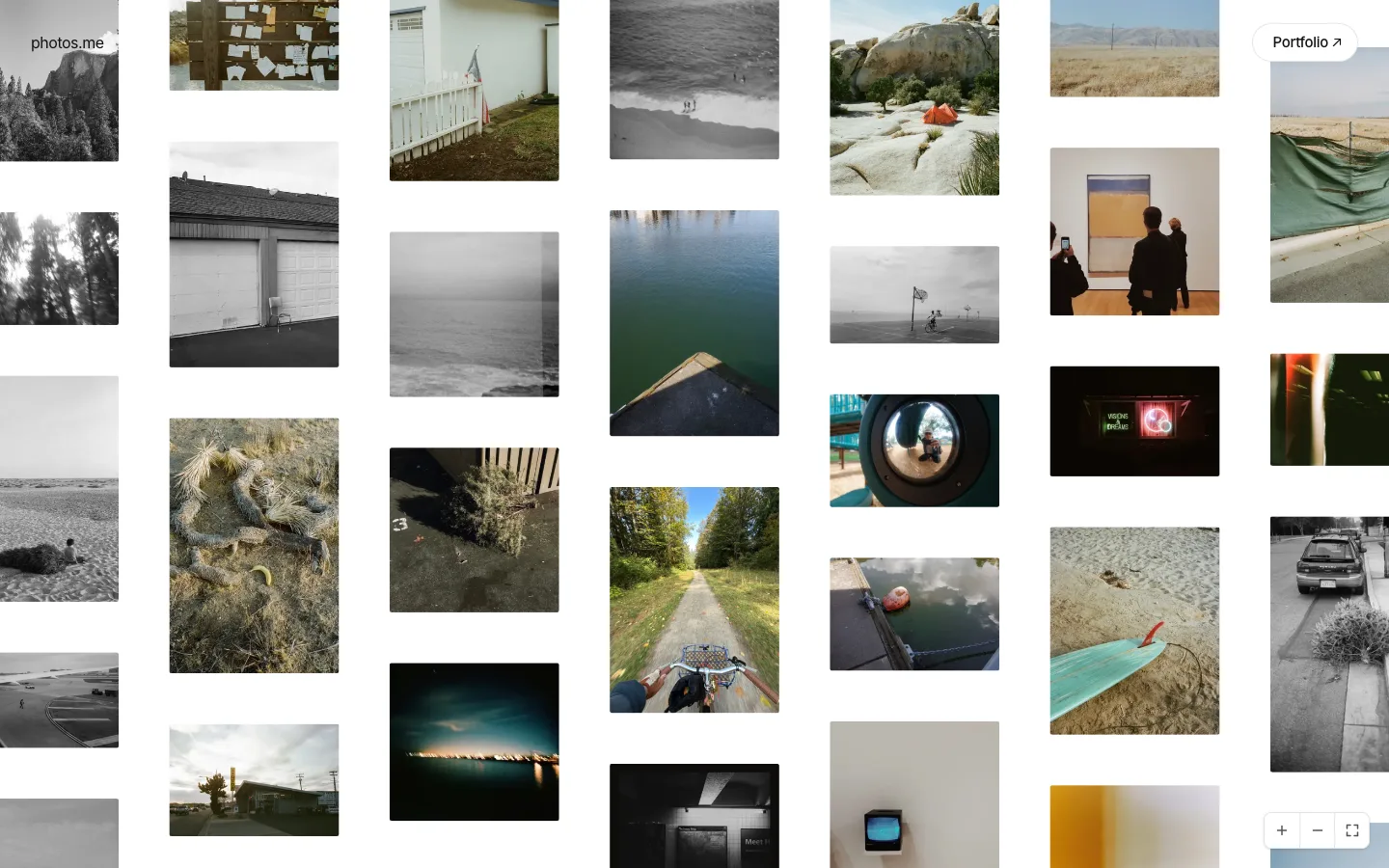
Why. The first spiral used 244px square cells with a 32px gutter. Every photo was cropped square and every row lined up, so it read as a contact sheet. Real aspect ratios keep each photo's shape, and uneven columns keep the canvas loose.
How.
- Every tile is 320px wide. Height is
320 / aspectRatio. - The spiral picks each photo's column and its order within that column.
- Each column stacks its tiles by real height and centers on y = 0.
- Rows never align across columns. That's intended.
- Older photos didn't store dimensions. They're now measured in one batch from the optimized image, and a backfill script writes the ratios to the index.
Decision 6: spacing
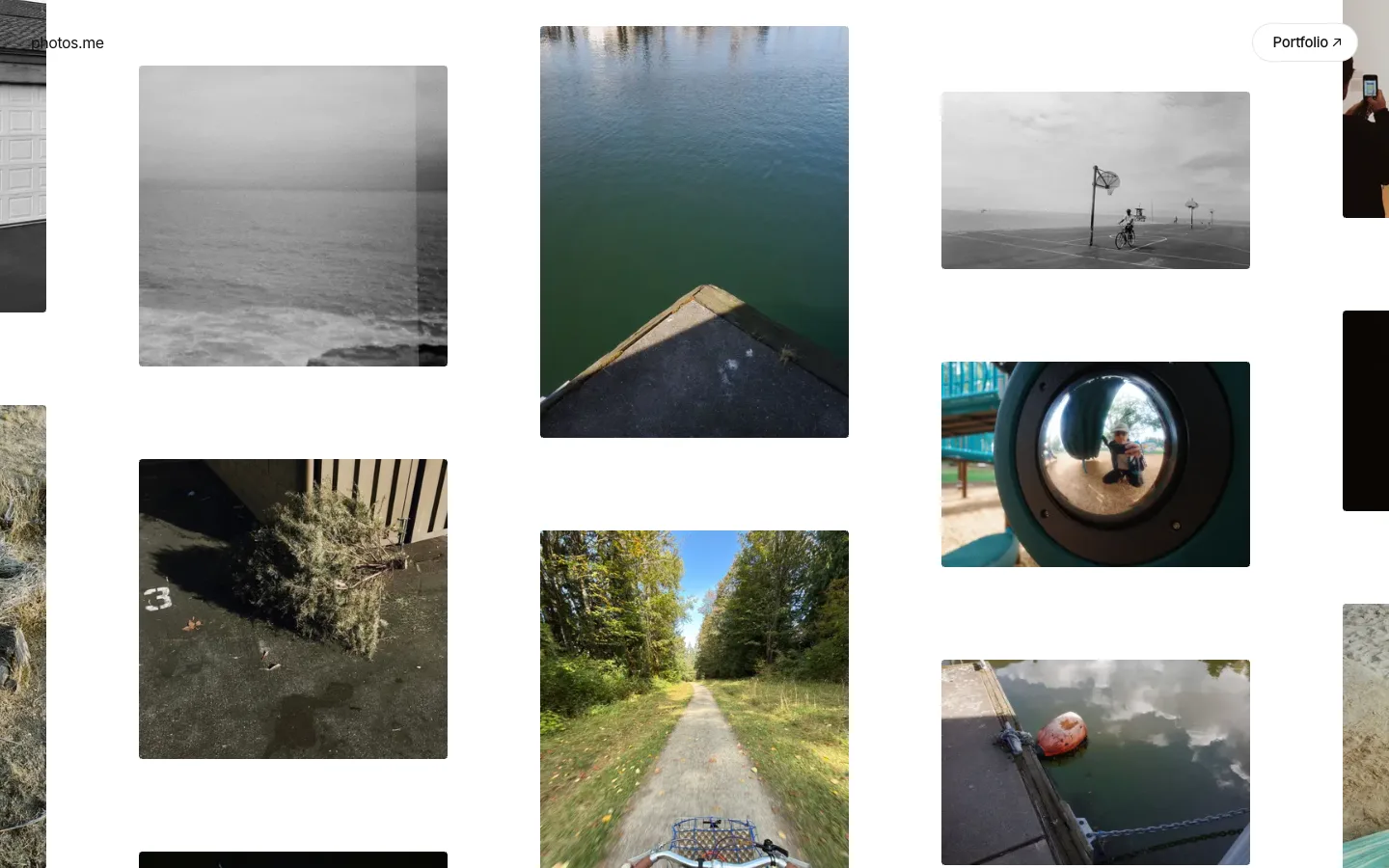
Why. Photos need more air at desktop size. On a phone the gap competes with the photos for space.
How.
- Gap is 96px at 1024px wide and up, 24px below.
- The same gap applies between columns and between tiles in a column.
- History: desktop went 80 → 96, mobile went 40 → 24.
- The background dot grid was removed. It made the canvas feel like a design tool.

Decision 7: focus
Why. Panning gives you breadth. Focus gives you one photo at a time, without leaving the canvas.
How.
- Clicking a photo animates the camera to it and dims every other tile to 30%. On hover-capable devices, a dimmed tile rises to 70% under the pointer.
- The caption and camera name appear under the focused photo.
- Clicking the focused photo again returns to 1x at the current position. It doesn't jump back to the landing view.
- Dragging more than 6px clears focus, so you never pan with one photo lit and the rest dimmed.
- The date is not shown. It's still used for ordering.
Decision 8: zoom limits and controls
Why. Below a certain size the photos stop being photos and turn into texture. The controls are only needed some of the time.
How.
- Zoom range is 30% to 300%. The floor started at 40% (about 3 presses of zoom out) and was lowered once.
- If fit-all needs to go lower for a very large archive, the floor drops to half the fit scale.
- Zoom in, zoom out, and fit sit bottom right. Each button press zooms by 1.35x over 280ms.
- The controls fade out after 5 seconds without input and return on any interaction.
Decision 9: motion
Why. Loading hundreds of images at once looks chaotic unless they arrive in order. I used one weighted ease-out curve, cubic-bezier(0.22, 1, 0.36, 1), for everything that settles. I tried low-bounce springs and they looked buggy.
How.
- Photo reveal: opacity 0.15 → 1, a slight blur → 0, scale 1.04 → 1, over 400ms.
- Stagger: delay grows with distance from the viewport center, up to 80ms, so the screen fills from the middle out.
- Skipped: tiles under 48px on screen (fit-all would otherwise start hundreds of blur animations), and tiles that load offscreen.
- Trackpad pan: a critically damped spring, tuned to reach its target in about 230ms with no overshoot (down from 617ms).
- Reduced motion: photos fade in with no blur or scale.
Decision 10: loading
Why. The archive only grows, and a canvas has no page 2. Panning and zooming have to feel the same with a few hundred photos or tens of thousands, so the cost of a frame can't depend on how many photos exist.
How.
- Layout is cheap arithmetic: one pass over the photo list, a few milliseconds even for tens of thousands of photos. Every photo gets a position, but nothing else.
- Only photos near the screen are mounted: the viewport plus 0.75 of a viewport on every side. Everything outside that is a position in memory, with no DOM node and no image request.
- The mounted count depends on screen size alone. At 1x it's around 55 photos whether the archive holds 100 or 50,000.
- Image width follows on-screen size, snapped to fixed steps (32, 64, 96, 128, 192, 256, 320, 480, 640, 960), so small camera moves don't trigger new requests.
- The mounted set is recomputed at most once per frame, and React only re-renders when that set changes. The camera transform is applied straight to the DOM, outside React.
What still grows with the archive.
- Zooming all the way out to fit everything mounts every photo, each at the smallest image size.
- Every page load ships the full photo list, a few hundred bytes per photo.
- The server reads one small record per photo when the page refreshes.
None of these matter at today's size. When they do, the next steps are a single prebuilt overview image for the fully zoomed-out view, and loading the list in rings from the center out, since the spiral already orders photos that way.
Result
Most of these decisions removed something: month clusters, labels, tilt, the dot grid, square crops, the date.
The canvas is live at photos.calebhill.me. Go have a look around.